Images and registries
The Images page is where an image is pulled, built, given another name, and sent to a registry. All four are the same page and the same login — there is no separate place to configure pushing.
What the page shows#
One row per image, with its repository and tag, its ID, its size, and whether a container is using it. Above the list, three actions that apply to the engine as a whole:
- Pull image — fetch a reference from a registry.
- Build image — build from a Dockerfile and a context folder.
- Prune unused — remove the images nothing is using.
Each row then carries its own two actions: Tag and push and Delete.
Tag and push#
An image on this machine is not yet an image anyone else can run. Tag and push is the step in between: give it the name it should have somewhere else, and send it there.
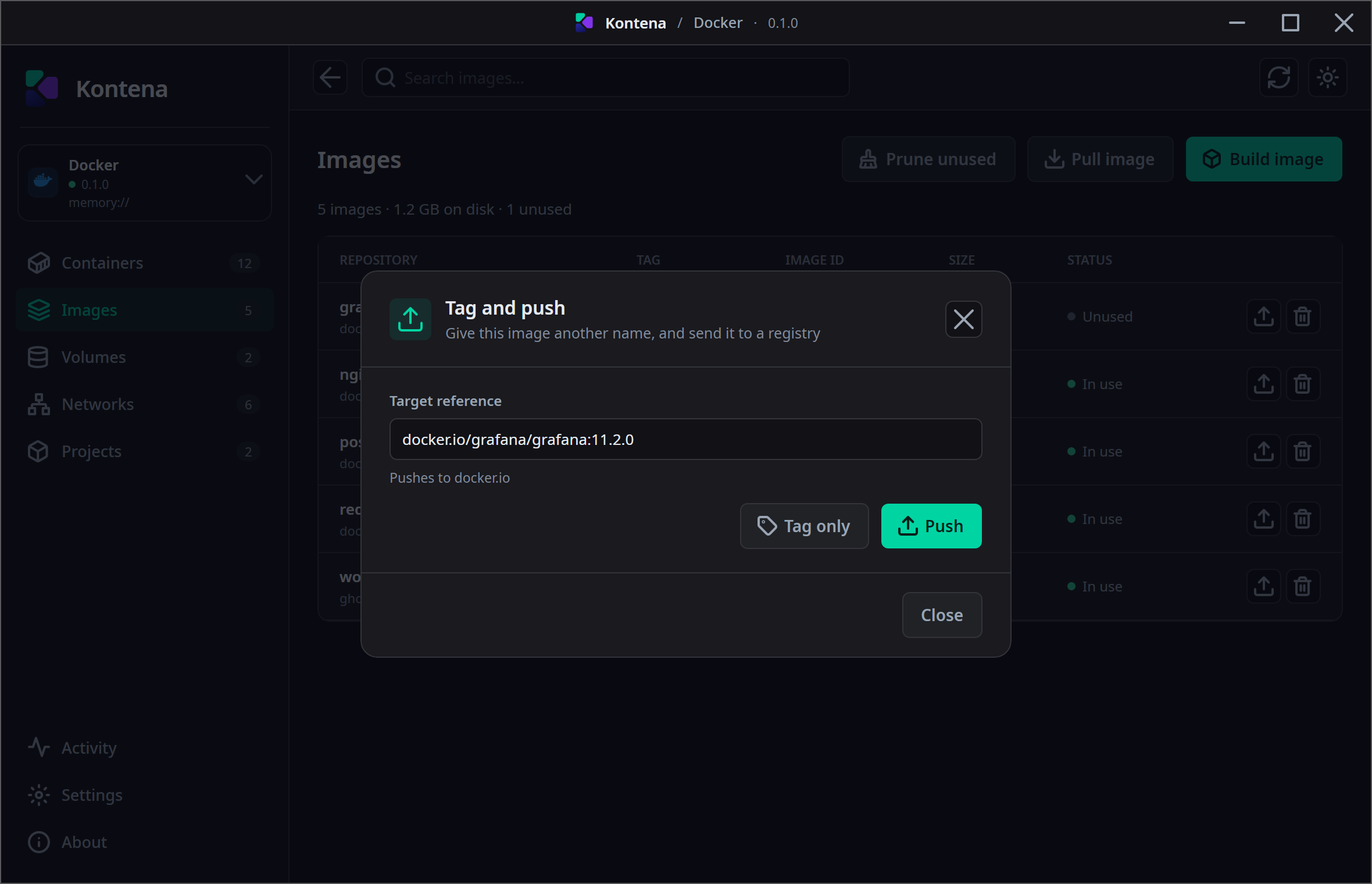
The dialog has one field. Target reference starts as the name the image already has, so pushing it back where it came from is a single click and renaming it is an edit rather than a form to fill in. Under the field, Kontena says which registry that reference actually points at.
Then two buttons:
- Tag only — give the image the target name. Nothing is uploaded.
- Push — tag first if the target differs from the current name, then upload that target.
An image can answer to several references at once. Tagging it ghcr.io/me/app:1.2
does not cost it the name it had — both are in the list afterwards, pointing at the same
image ID.
Which registry a name points at#
The registry is part of the reference, not something chosen beside it. That is why the dialog
spells it out: me/app:1.2 goes to Docker Hub, not to a registry called
me. To push somewhere else, the host belongs in the name —
ghcr.io/me/app:1.2, registry.example.com:5000/me/app:1.2.
Where the login comes from#
Pushing uses the same credentials as pulling, and there is nothing extra to set up for it. Kontena looks in two places, in order:
- Settings › Registries — the logins you added in Kontena. The password is kept in your operating system's keychain, never in Kontena's own configuration.
- The engine's own configuration (
~/.docker/config.json) — so a registry you are already logged into on the command line keeps working without being added twice.
With no credential for that registry, the upload is attempted anonymously, which nearly every registry refuses. The error says which registry refused and which account the reference belongs to, so it is clear what to add and where.
What each engine can do#
Pushing itself works everywhere. Handing a credential to the push does not.
| Engine | Push | With a credential |
|---|---|---|
| Docker | Yes, with progress | Yes — the same login as the pull |
| containerd (nerdctl plugin) | Yes | No, as with pulling |
Apple container | Yes | No, as with pulling |
Neither nerdctl nor Apple's container can take a credential for one operation
without the secret being written somewhere else first, which is why their pulls already refuse
one. Anonymous pushes — to a local registry, say — work there normally.