One UI.
Any engine.
Kontena manages your containers through a single, fast, backend-agnostic interface — no matter which engine runs them underneath. The backend is an implementation detail, not a lifestyle choice.
Docker · Podman · Apple container · Kubernetes — all available today
 Docker
available
Docker
available
 Podman
available
Podman
available
 Apple container
available · requires macOS 26
Apple container
available · requires macOS 26
 Kubernetes
available
Kubernetes
available
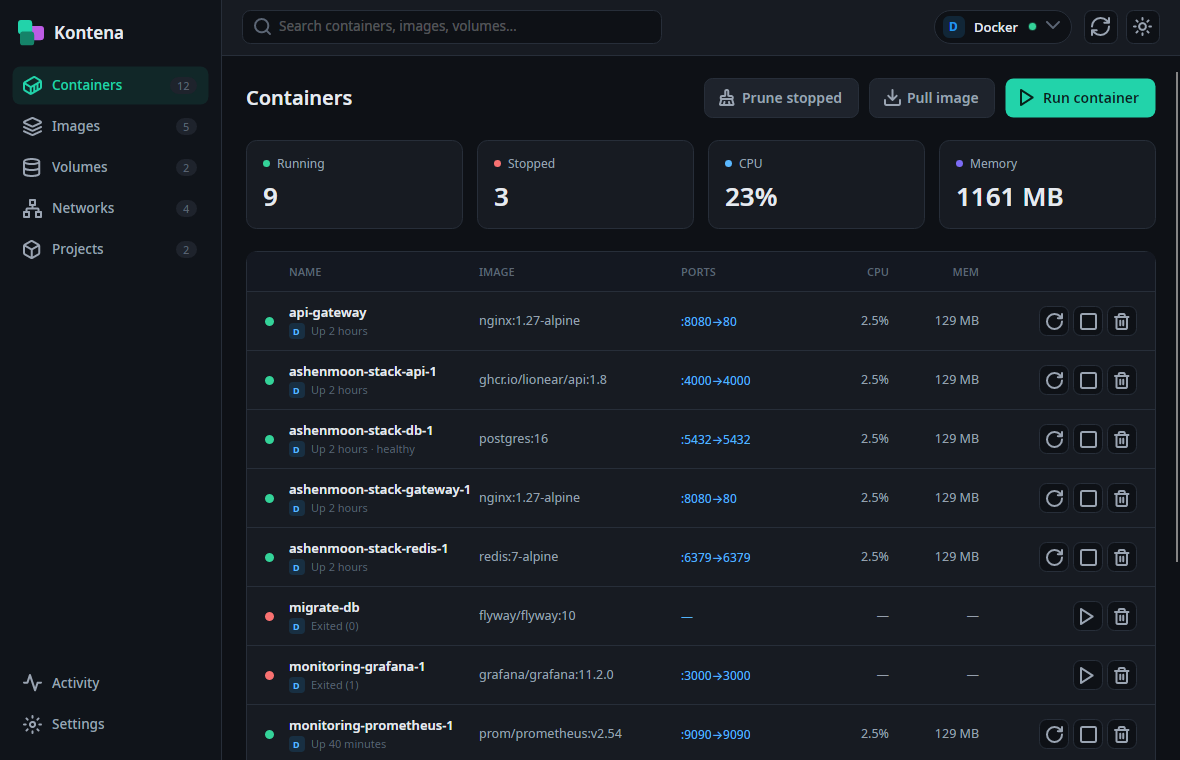
A control plane for your containers
Manage containers, images, volumes and networks — with the depth you'd expect from your engine's own CLI, in one calm, keyboard-friendly desktop app.
Switch engines, not apps
A backend switcher in the command bar swaps between Docker and Podman without leaving Kontena. The engine is chosen through one abstraction layer — the app hard-codes nothing.
Live, event-driven
Containers, images, volumes and networks refresh from engine events — no polling. Rows reconcile in place, and prune reclaims stopped containers, unused images and dangling volumes.
Logs, stats, shell & inspect
Per-container: live logs with level colouring, filter and follow; live stats; an interactive attached terminal with a real PTY; and a structured inspect view.
Run & pull, done right
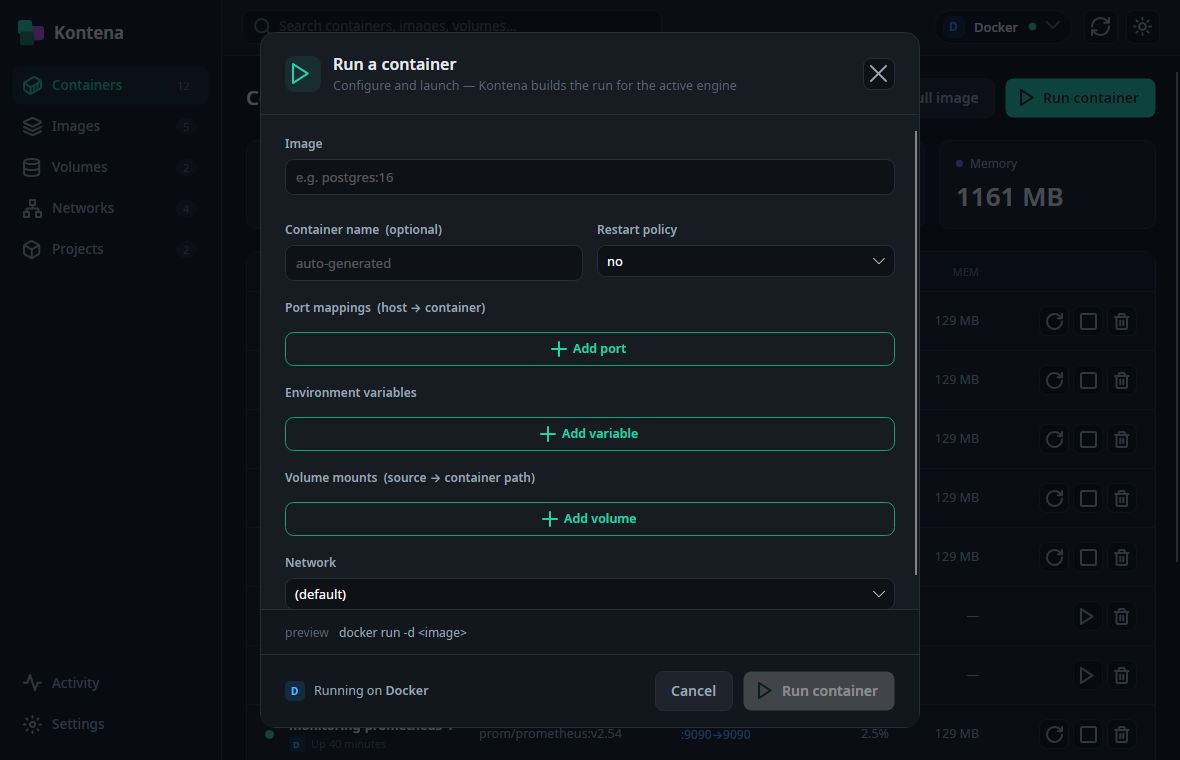
A Run modal for ports, env, volumes, network and restart policy — with a live command preview, auto-pull of missing images and metadata pre-fill. Pull streams progress live.
Yours to configure
Light, dark or system theme applied live and persisted. Pick a default engine and set your terminal font — family, size and ligatures.
Graceful when things break
A friendly empty state with quick-starts, a no-match note, and an engine-down state that offers reconnect and falls back to any other engine that's available.
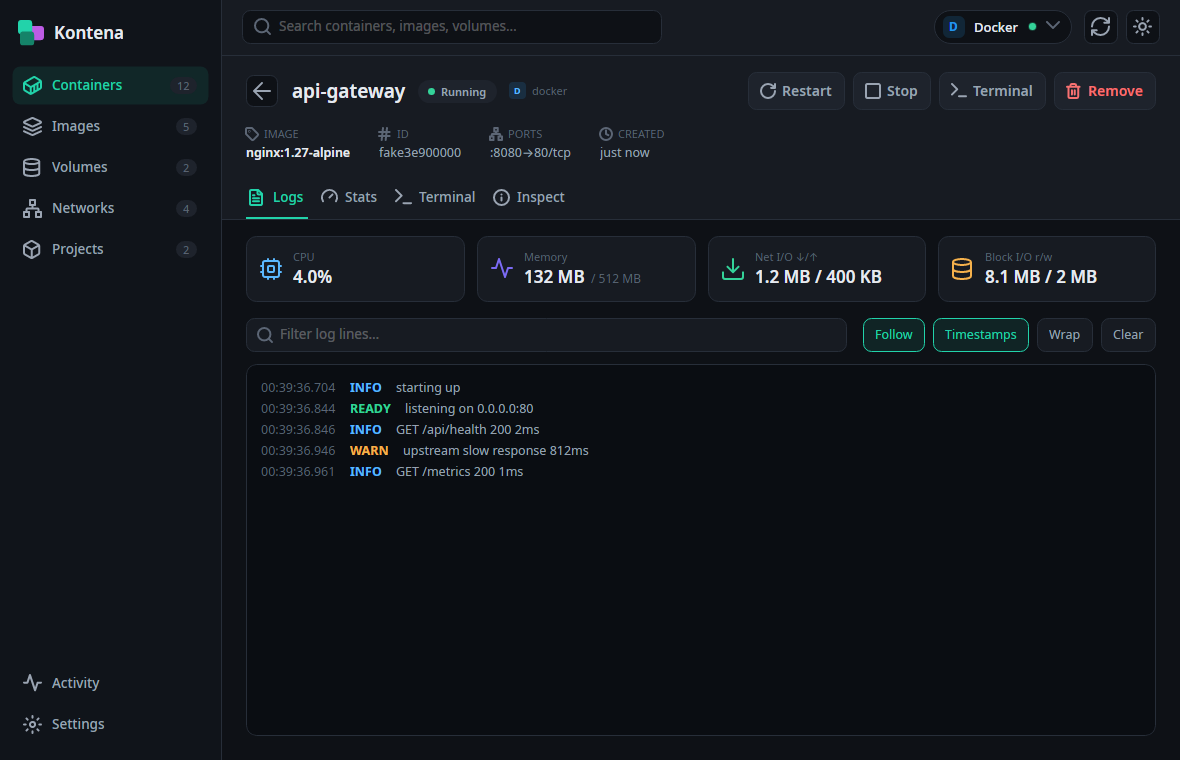
Everything about a container, in one place
Open any container to a focused detail page. Follow logs as they stream, watch CPU, memory and I/O, drop into an attached shell, or read the full inspect.
- Live logs — level colouring, filter & follow
- Live CPU, memory, network and block I/O
- Attached terminal with a real PTY
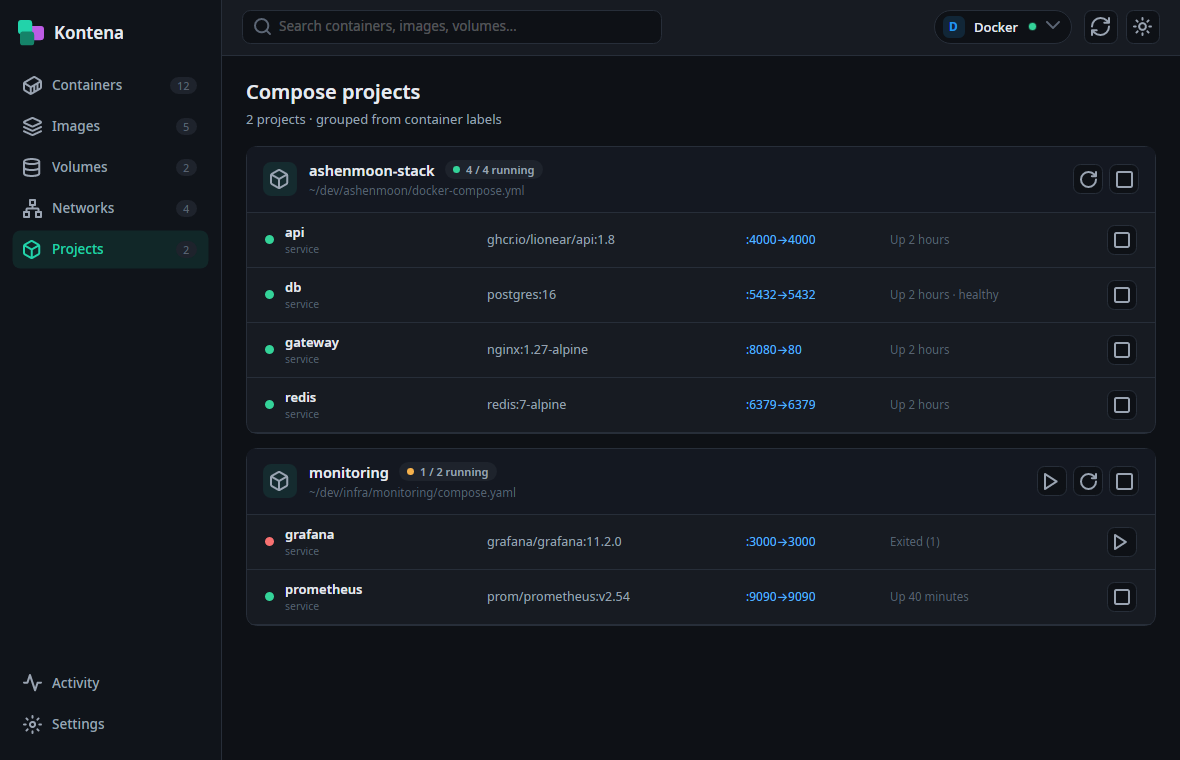
Your stacks, grouped automatically
Kontena reads container labels and groups them back into the Compose projects you know — each service, its image, ports and health, with start and stop across the whole project.
- Grouped from container labels — no config
- Per-service state, ports & health
- Project-wide actions
Launch with a live command preview
Set the image, name, ports, environment, volumes, network and restart policy — and watch Kontena build the exact run for the active engine as you type. Missing images are pulled automatically.
- Engine-aware command preview
- Auto-pull & metadata pre-fill
- Quick-start templates from empty state
One layer. Every backend.
Every engine registers with a provider-based registry that probes for what's actually available — Kontena hard-codes nothing. Under the hood, one Container Engine Abstraction Layer (CEAL) is all the UI ever talks to.
Adding a backend means implementing two interfaces and exposing them through the Kontena SDK. A plugin loader and an installable-adapter store are on the roadmap.
interface IEngineProvider // detect + create
DockerPodmanBuilt to feel like your OS
A real desktop app — fast to start, light on memory, and the same on every platform.
Take control of your containers
One calm, fast UI over the engines you already run. Free to use, source-available.